What tf Is a Content Diet?
February 2, 2026
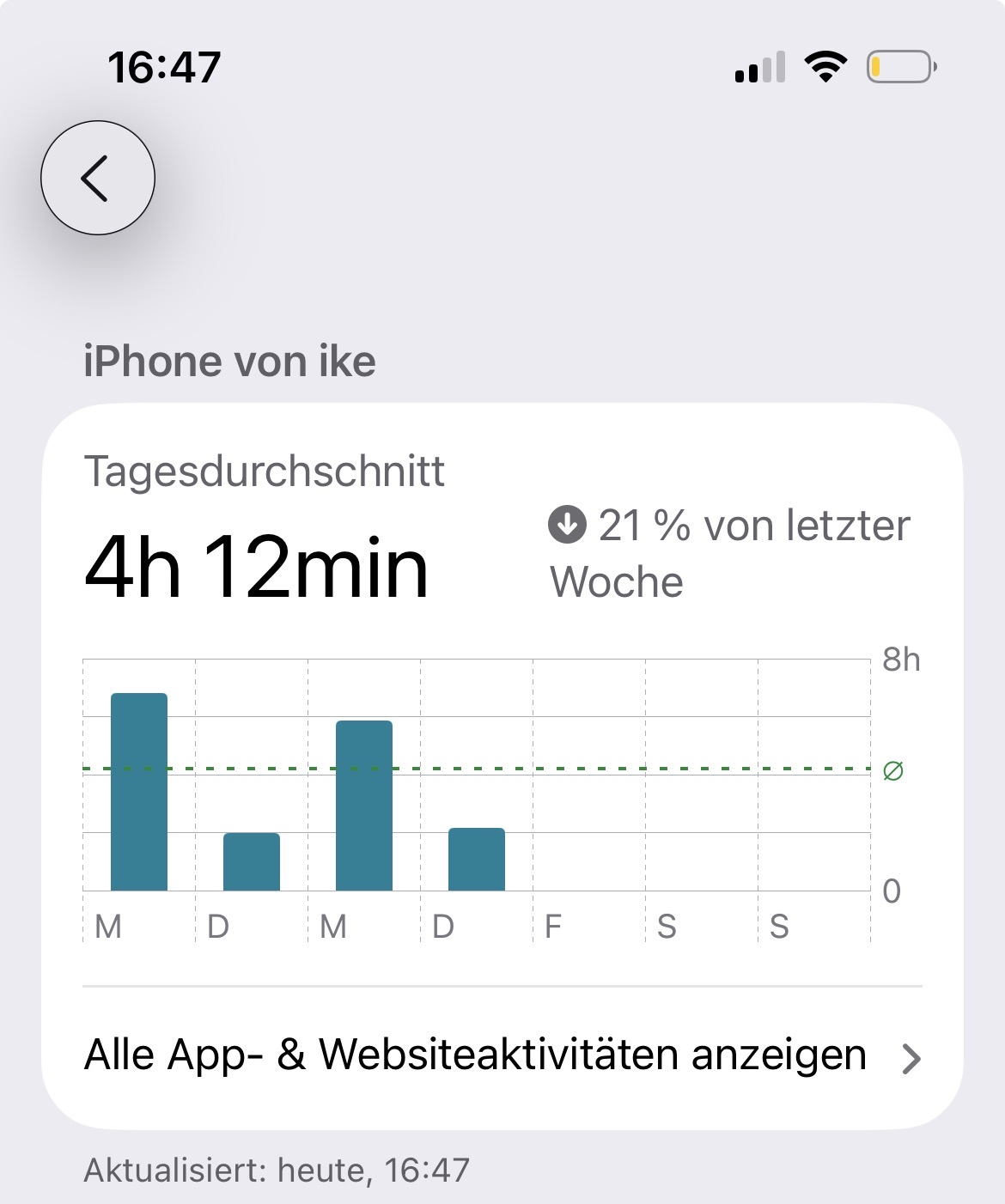
So here's the thing: the average person spends around 4–5 hours per day on their phone.
I think by now we all know how fucked up this is.
We waste away the most valuable thing we have (time) to get small hits of dopamine.
We are the modern-day heroin addicts — unfortunately on a scale that's bigger than our imagination.
Personally, this makes me sad, thinking of all the wasted potential and time that could be spent doing something amazing.
Meta should get sued into bankruptcy for creating digital heroin and handing it to every person alive, no matter their age. (My biggest position is on Meta right now — guess I should sell it lol)
Especially since the negative side effects are proven by many studies (anxiety, depression, etc.).
…well, this was not supposed to be a rant but an actionable guide on how to take back control of the things you consume.
So let's get into it.
What the fuck is a content diet?
Well, like a diet in the traditional sense — only thing is, we filter what content we consume instead of what food.
So the first step is to identify what content you are actually consuming.
Instagram, LinkedIn, YouTube, Reddit, books, audiobooks, Spotify… yeah, porn as well.
Get a picture of everything you input into your brain.
Over the next days, observe: Do you get energy from this content? Do you learn from it? Does it make you feel good, bad, neutral?
And then just radically cut out everything that's not worth your time — or limit the sugar drastically.
Action Step 1: Block it on your laptop with Cold Turkey
Cold Turkey is a free app for Mac and Windows that blocks websites and apps — and the best part: once a block is running, you can't undo it. No "just 5 minutes" bullshit.
Here's how:
- Download Cold Turkey Blocker from getcoldturkey.com and install it (plus the browser extension it asks for).
- Create a new block list and add your junk content: instagram.com, reddit.com, youtube.com, whatever your poison is.
- Set a schedule (e.g. blocked every day from 8am to 8pm) or start a timed block when you want to do deep work.
- Optional but powerful: turn on "lock" mode so you can't edit or stop the block until the timer runs out.
That last step is the whole point. You're making the decision once, with a clear head, instead of fighting willpower battles 50 times a day.
Action Step 2: Block it on your iPhone with Screen Time
Your phone is where most of the damage happens, so let's fix that too. No extra app needed — iOS has this built in.
- Go to Settings → Screen Time and turn it on if you haven't.
- Tap App Limits → Add Limit, select the apps (e.g. Instagram, TikTok, Safari), and set a daily limit — I'd go aggressive, like 15–30 minutes.
- To block websites: go to Screen Time → Restrictions (Communication & Content) → Web Content, select "Limit Adult Websites", then add specific sites under "Never Allow" — this is also where you block porn sites.
- The key move: go to Lock Screen Time Settings and set a passcode — and here's the trick: let someone you trust set the passcode, or generate a random one and store it somewhere annoying to access. If you know the code, you'll just type it in when the craving hits.
That's it
Identify what you consume. Observe how it makes you feel. Cut the junk. And then use tools to make the junk hard to reach — because willpower alone loses against an algorithm built by thousands of engineers whose only job is to keep you scrolling.